
Claude is still the King of the LLM World
Claude Design landed with a bang, pulling in over a million users in its first week. But for most people, that excitement curdled fast — the tool burned through credits so quickly that “Claude Design” became shorthand for “watch your usage disappear in real time.” Claude Design 2.0 fixes that, along with a handful of other changes that make it genuinely worth another look.
This guide breaks down everything Claude Design 2.0 does differently, organized into five progressive levels — from simply understanding the interface, to building brand-matched decks, to eventually owning your entire design stack independent of any single AI model. If you write off Claude Design after your last frustrating experience, this update is the reason to reconsider.
What Is Claude Design, Exactly?
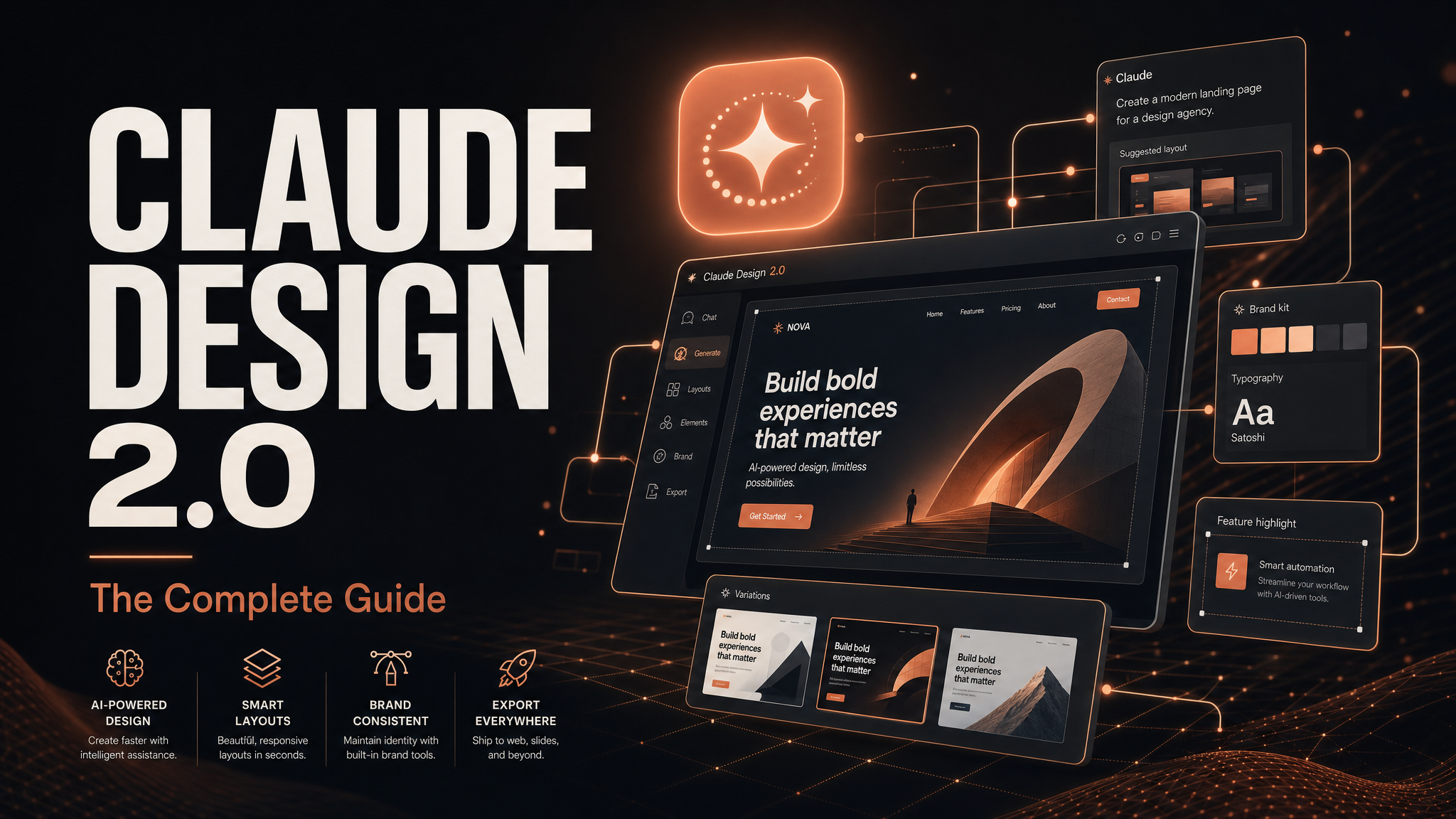
Claude Design is Anthropic’s dedicated design agent, built on top of Claude (currently running on the Opus 4.8 model), one of the strongest design-capable AI systems available. It’s not a chatbot bolted onto a canvas — it’s a purpose-built interface for creating websites, app prototypes, slide decks, and animations, all generated and edited through natural language plus direct on-canvas controls.
You can access it two ways:
- On the web — log into Claude, click “Design” in the left sidebar.
- In the desktop app — click “Chat” in the top-left, then select “Design,” which opens a dedicated design terminal separate from your regular Claude chat.
Both paths lead to the same core experience: a workspace where you pick what you’re building (prototype, website, animation frames), choose or skip a design system, select a model, and start generating.
Four Big Changes in Claude Design 2.0
Before diving into the five levels, here’s what’s actually new:
- Credits go significantly further. This was the single biggest complaint about the original release, and Anthropic clearly heard it.
- Design systems are reusable. You can build a brand kit once and apply it across every future project.
- Two-way design flow. You can move work between Claude Design and Claude Code in both directions.
- Direct canvas editing. You no longer need to describe every tweak in natural language — you can click and edit elements directly, which saves both time and tokens.
Now let’s walk through how to actually use it.
Level One: Understanding the Interface
The first level is just getting comfortable with the workspace. On the left-hand panel, you’ll find:
- Project types — prototypes, websites, animation frames
- Your saved projects
- Design systems — your saved brand kits
- Templates — pre-built starting points
You can either select an existing design system to keep your output on-brand, or clear it and start from a blank canvas. You also choose which underlying model powers the generation right from this screen — a detail that becomes important later when we talk about controlling cost and output quality.
Level Two: Building With Real Inputs (Repos, Images, and Brand Voice)
This is where Claude Design starts to feel less like a toy and more like a production tool. You can feed it:
- A GitHub repo containing design principles, brand guidelines, or component references
- Images to pull visual style, color palette, and layout cues from
- Figma files
For example, you could prompt it with something like: “Use this GitHub repo and this image to design three slides about [your topic].” Claude Design will then ask clarifying questions about tone (playful vs. formal), the core message, and target audience before generating. It genuinely pulls visual details from your reference images — shapes, color schemes, layout motifs — rather than ignoring them, and it takes some tasteful creative license within those constraints.
Editing Right on the Canvas
Once your first draft is generated, you have three ways to refine it:
- Natural language commands — “make this section bigger.”
- Comments — drop notes directly on elements while Claude works in the background.
- Direct canvas editing — click an element and change it immediately (remove a stray apostrophe, adjust a font size, swap a color) without triggering a full AI regeneration pass.
That third option is the real efficiency win in 2.0. Previously, every tiny change meant Claude reprocessing the entire context window — which is exactly why credits disappeared so fast. Direct editing skips that overhead entirely.
When you’re finished, you can:
- Enter presentation mode for a full-screen view
- Share a link to your workspace
- Export as standalone HTML or as a PowerPoint file for further editing outside the platform
Level Three: Using Built-In Connectors (Firecrawl and Beyond)
This is arguably the most powerful capability in Claude Design 2.0, and it’s the part most people miss. Design is only one module inside the broader Claude Code ecosystem — which means you get access to the same connectors and integrations you’d use elsewhere in Claude, including web scraping, image generation, and competitor research tools.
The standout example: using Firecrawl to extract a brand identity directly from a live website. Instead of manually describing colors, fonts, and logo placement, you can prompt Claude Design to visit a URL, use your Firecrawl connection to pull the brand identity, and generate a multi-page animation styled to match — automatically.
Why Firecrawl specifically works so well here: scraping a raw website usually means ingesting a mountain of HTML markup, which burns tokens fast. Firecrawl strips that overhead out, delivering clean, structured content, so the extraction is both cheaper and more accurate. In practice, this captured font choices, exact color schemes, and even the source logo with impressive fidelity — a genuinely useful shortcut for anyone building marketing assets for an existing brand.
You can layer on an image generator (Higgsfield and Kie AI are both solid, cost-effective options once connected via API key) to create original visuals matching that same extracted style, all inside the same workflow.
Level Four: Sending Designs Back to Claude Code
Claude Design runs on the same underlying model as Claude Code, so anything you build in Design can, in theory, also be built directly in Code. The practical difference is speed: Design is faster for getting a polished first draft when you’re short on time, while Code is where you go when a project needs real engineering — a database, backend logic, or custom functionality.
To move a project from Design into Code, you have three handover options:
- Send directly to Claude Code, Canva, or Gamma
- Copy the prompt, which includes file location details, and paste it into a fresh Claude Code session
- Download as a ZIP and work from the extracted files
The Zip Handover Fix (Important)
Here’s the limitation worth knowing before you rely on this workflow: the direct handover integration is currently inconsistent. In testing, sending a design with an embedded video directly to Claude Code caused the video reference to break — Claude Code simply couldn’t locate the file.
The fix: download the project as a ZIP, extract it, and link the files back up manually from there. This reliably preserves every asset, including embedded media, where the direct handover currently drops it. Until Anthropic tightens up that integration, treat the ZIP download as the dependable path any time your project includes video or other embedded media.
Level Five: Owning the Entire Stack (Model Independence)
This is the level almost nobody talks about, and it’s what separates casual users from people building a durable workflow: you don’t have to be locked into one model or one platform.
There are two ways to break free of vendor lock-in:
Option 1: Open Design (Run It Locally)
Open Design is a free, open-source project that mirrors Claude Design’s core functionality but runs locally on your own machine — meaning you can power it with any model, not just Claude.
To set it up, ask Claude Code to download and run the Open Design repo on localhost. Once it’s running, select “local coding agent,” choose which model to connect (Claude, ChatGPT via your existing subscription, or others), and you’re ready to build. You can even attach a file from a project you already built in Claude Design and continue iterating on it, this time using a different underlying model — like the Claude CLI or Codex (the command-line interface for ChatGPT’s coding models).
One tradeoff to know: Open Design does not currently support exporting to PowerPoint. That export feature is exclusive to Claude Design itself.
Option 2: Use Cheaper Models Inside the Same Workflow
You’re also not limited to Claude’s flagship model for every task. GLM 5.2, for instance, delivers performance close to Opus 4.8 at roughly one-sixth of the cost, and you can run it directly from the terminal to keep building on projects you’ve already started — a smart option once you’ve hit your usage limits on a pricier model.
Why This Update Actually Matters
The headline fix — credits going further — solves the exact problem that made most people abandon Claude Design after one session. But the deeper value here is optionality: reusable design systems mean consistent branding without rebuilding from scratch every time, direct canvas editing means fewer wasted tokens on small fixes, and the Open Design path means you’re never fully dependent on a single company’s pricing or rate limits.
If you tried Claude Design early and walked away frustrated, this is the version worth giving a second chance.
Frequently Asked Questions
What is Claude Design 2.0?
Claude Design 2.0 is an updated version of Anthropic’s AI design agent, built on the Claude Opus 4.8 model. It lets users generate websites, app prototypes, slide decks, and animations using natural language prompts, reference images, GitHub repos, and reusable brand design systems, with direct editing available right on the canvas.
How is Claude Design 2.0 different from the original version?
The 2.0 update introduces four major changes: credits are consumed far more efficiently, design systems (brand kits) can be saved and reused across projects, work can flow both ways between Claude Design and Claude Code, and users can edit elements directly on the canvas instead of issuing a full natural-language command for every small change.
Does Claude Design use Firecrawl to scrape branding from a website?
Yes. Claude Design can connect to Firecrawl to extract a website’s brand identity — including colors, fonts, and logo — and use that extracted information to generate on-brand slides, animations, or other assets automatically, without you manually describing the brand style.
Can I export a Claude Design project to PowerPoint?
Yes, Claude Design supports exporting projects as standalone HTML or as PowerPoint files. This export feature is specific to Claude Design and is not currently available in Open Design, the free local alternative.
What is the “zip handover fix” in Claude Design?
When sending a project directly from Claude Design to Claude Code, embedded media (like video) can sometimes fail to transfer correctly due to a current integration limitation. The reliable workaround is to download the project as a ZIP file, extract the contents locally, and link the assets back up manually — this preserves all files, including video, that the direct handover can drop.
What is Open Design, and why would I use it instead of Claude Design?
Open Design is a free, open-source project that replicates Claude Design’s core workflow but runs locally on your own computer. Its key advantage is model flexibility — you’re not locked into Claude alone, and can power your designs with other models (like ChatGPT/Codex) instead. The main limitation is that it doesn’t currently support PowerPoint export.
Is GLM 5.2 a good alternative to Claude Opus 4.8 for design work?
GLM 5.2 delivers performance comparable to Claude Opus 4.8 at roughly one-sixth of the cost, making it a strong option for continuing design work from the terminal once you’ve hit usage limits on a more expensive model, or simply want to manage costs on ongoing projects.
Do I need a design system to use Claude Design?
No. Design systems are optional. You can select a saved brand kit to keep output consistent with your existing branding, or skip it entirely and let Claude Design generate a new visual style from scratch based on your prompt and any reference images you provide.

Leave a Reply